 Mayank Singh
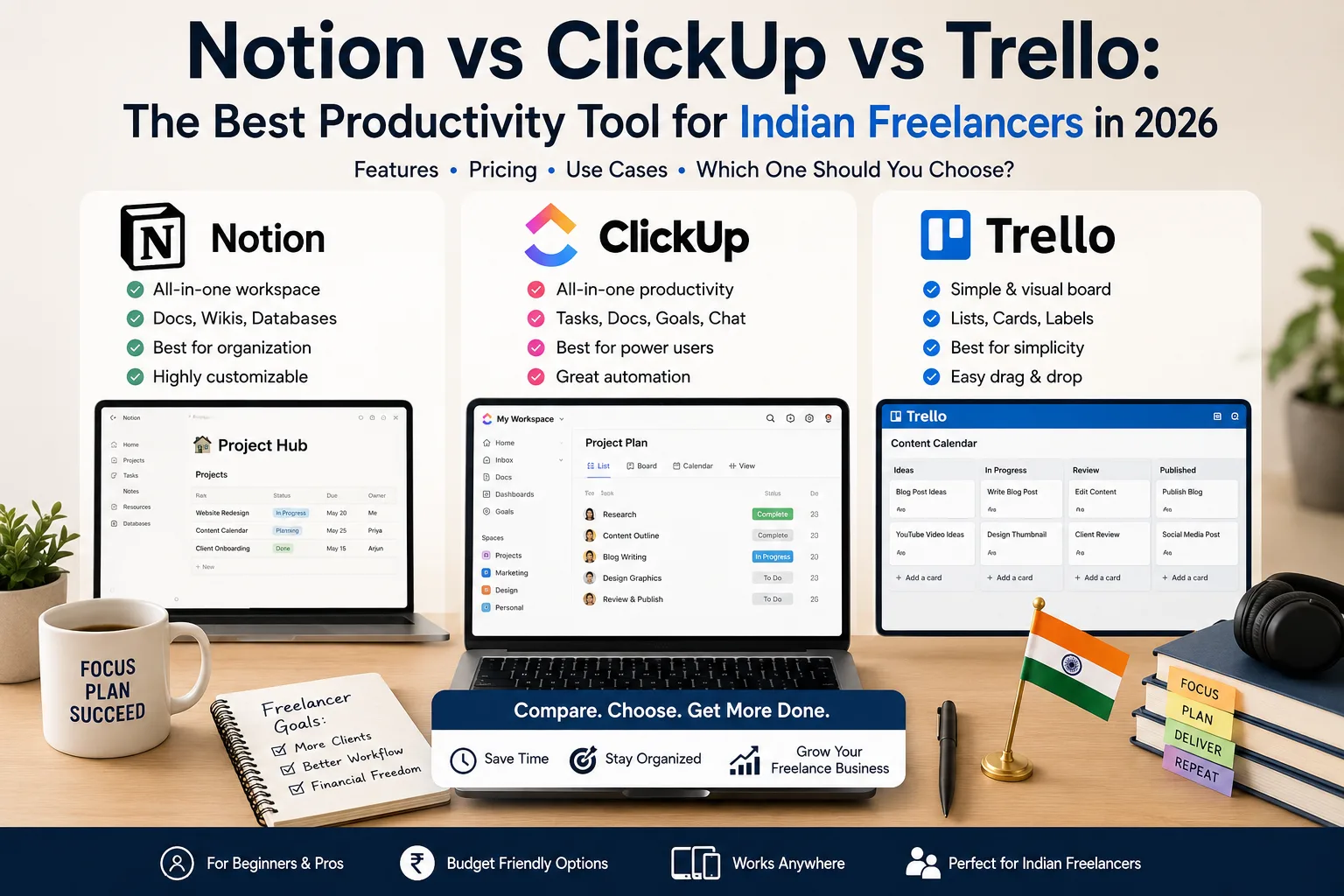
 If you freelance in India, your productivity tool is your office, your filing cabinet, and your project manager rolled into one. Pick the right one and your days feel calm and organised; pick the wrong one and you'll waste hours fighting the very software meant to help you. In 2026, three names dominate the conversation: Notion, ClickUp, and Trello. Each is excellent, but each is built for a very different kind of person.
This honest comparison, part of our Products & Reviews series, breaks down what each tool does best, where it frustrates, and which one deserves a place in your workflow. No hype, no sponsorship, just a practical look at what works for Indian freelancers and small teams.
Why Your Tool Choice Genuinely Matters
Freelancers juggle everything alone: client work, invoices, deadlines, follow-ups, and the dozen tiny tasks that keep a one-person business alive. The right tool acts like a silent assistant, holding all of it so your brain doesn't have to. The wrong tool becomes just another chore. So this isn't a trivial decision, it shapes how much you actually get done each day.
Trello: The Simple Starter
Trello is the friendliest of the three. Built around visual boards and cards you drag between columns, it's the tool you can understand in five minutes flat. For freelancers who think in simple stages, To Do, Doing, Done, it's a genuine joy to use.
Best for: Beginners, visual thinkers, and anyone managing a handful of straightforward projects. Where it falls short: As your work grows complex, Trello can feel limited. Tracking detailed timelines, dependencies, or large databases isn't its strength.
ClickUp: The Power User's Playground
ClickUp throws everything at you, tasks, docs, goals, time tracking, dashboards, and endless customisation. It's astonishingly capable, the kind of tool that can run an entire agency. For freelancers who love systems and want one app to control every detail, it's hard to beat.
Best for: Organised power users and growing freelancers who manage many clients and want deep tracking. Where it falls short: All that power comes with a learning curve. Beginners can feel overwhelmed, and it's easy to spend more time configuring ClickUp than doing actual work.
Notion: The Flexible All-in-One
Notion is less a task manager and more a blank canvas. It blends notes, databases, wikis, and project boards into one beautiful, build-it-yourself workspace. Freelancers love it for creating client portals, content calendars, and personal dashboards that look genuinely professional.
Best for: Creative freelancers, writers, and anyone who wants notes and projects living in one elegant space. Where it falls short: That freedom can be paralysing. With no fixed structure, some people spend days designing their workspace instead of using it, and it's less suited to heavy time-tracking.
Side-by-Side Comparison
To cut through the noise, here's how the three stack up on the factors that matter most to a working freelancer.
Feature Comparison
| Feature | Trello | ClickUp | Notion |
|---|---|---|---|
| Ease of use | Very easy | Moderate | Moderate |
| Customisation | Limited | Extensive | Extensive |
| Time tracking | Add-on | Built-in | Limited |
| Notes & docs | Basic | Good | Excellent |
| Learning curve | Gentle | Steep | Medium |
| Free plan | Yes | Yes | Yes |
| Best suited for | Beginners | Power users | Creatives |
As the table shows, there's no single "best," only the best fit for how you work. Your personality and project complexity matter more than any feature list.
So Which Should You Choose?
Let's make it simple with a few honest recommendations:
- Choose Trello if you're just starting out, value simplicity, and manage a few clear projects. You'll be productive within minutes.
- Choose ClickUp if you manage many clients, love detailed systems, and want one powerful hub for everything. Invest the time to learn it and it pays off.
- Choose Notion if you're a creative who wants notes, content, and projects in one stylish space, and you enjoy building your own setup.
A smart approach many Indian freelancers take is to start with Trello, then graduate to Notion or ClickUp as the business grows. There's no shame in switching once you've outgrown a tool.
A Note on Budget
All three offer genuinely useful free plans, which is perfect when you're starting out and watching every rupee. Resist the urge to pay for premium features until you're sure you'll use them. Many solo freelancers run their entire business on free tiers for years. Spend on tools only when the cost clearly buys back your time. For more budget-smart software picks, browse our Business & Income section.
Final Thoughts
The best productivity tool isn't the most powerful or the most popular, it's the one you'll actually open every morning and stick with. Trello wins on simplicity, ClickUp on power, and Notion on flexibility. Try the free version of whichever matches your style, give it two honest weeks, and notice how your days feel. The goal was never to admire a beautiful app; it's to get more done with less stress. Choose the tool that quietly disappears into your workflow and lets you focus on the work that actually pays.